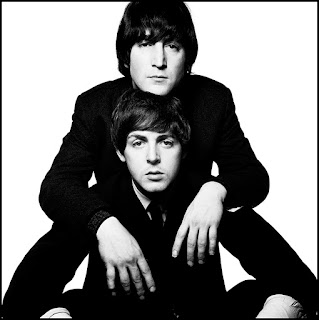
David Bailey is a London photographer born 2nd January 1938, he died at the age of 84 with 3 children. He was most active during the 1959 period , this is when he expanded on his work on the transformed British fashion and celebrity photography from chic reserved stylisation to then develop his work to youthful and direct photos with celebrity portraits. David Bailey used the Pentax camera and the Olympus camera for he stated it to be an all in one camera. In 1960 Bailey began work at Vouge as a photographer, he worked there for 15 years until he began to freelance for many other magazines and newspapers. H e left school at fifteen and was conscripted to the Royal Air Force in 1956. Whilst posted in Singapore he bought his first camera and was inspired to be a photographer after seeing Cartier Bresson’s photograph, ‘Kashmir’. He left soon after to strike out his own career as a photographer and published his first portrait of Somerset Maugham for ‘Today’ magazine in 196...
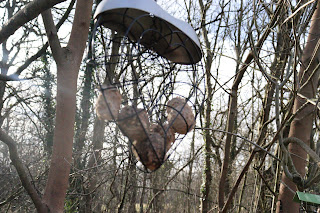
My style of photography is: Urban Documentary photography Although I have only taken pictures of things in nature I feel like the bird feeder shot is what brought to urban photographer, after seeing something so unnatural in a natural place it got me thinking of how unnatural an urban town can be. A lot of the things in an urban town have been either man made or natural, I want to be able to uncover these little things that make an urban town beautiful. This is a piece of photography I have taken, the subject in the photo is a bird feeder in the style of a heart. I took it from the side to let the sunlight come out from the trees a bit. This was one of my first pieces of doing photography and I am glad it came out the way it did. Although the picture is of a bird feeder in the style of a heart you can hardly tell that it is a heart, so next time I will be moving into a position where I can capture the heart shape. Another point I want to...

Comments
Post a Comment